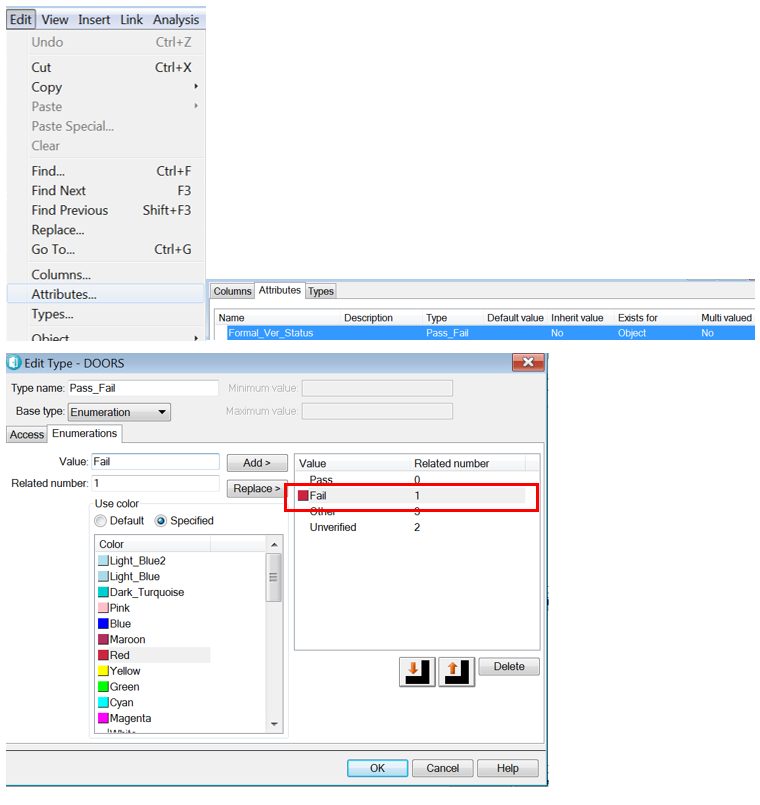
Hello
i am looking for a strong dxl script in order to copy all module attributes from one module to another one, as fast as possible
with a simple call in main script with format CopyAttrMod(Module Src, Module Target)
thanks for your help
Marc BIS
Eclairage93 - Wed Mar 15 05:11:32 EDT 2017
Re: DXL: how to copy module attribute to another module
Mathias Mamsch - Wed Mar 15 07:54:44 EDT 2017
You should check out the copyops.inc library inside the dxl folder (lib / dxl / utils). You will find methods for copying attributes (like copyModuleAttribute_ (...)) in there. Hope this helps, regards, Mathias
Re: DXL: how to copy module attribute to another module
Eclairage93 - Wed Mar 15 08:19:32 EDT 2017
Mathias Mamsch - Wed Mar 15 07:54:44 EDT 2017
You should check out the copyops.inc library inside the dxl folder (lib / dxl / utils). You will find methods for copying attributes (like copyModuleAttribute_ (...)) in there. Hope this helps, regards, Mathias
Hello Mathias
thanks for your feedback but the *.inc files are crypted !!
how to do to read them
Marc
Re: DXL: how to copy module attribute to another module
Mathias Mamsch - Wed Mar 15 08:38:28 EDT 2017
Eclairage93 - Wed Mar 15 08:19:32 EDT 2017
Hello Mathias
thanks for your feedback but the *.inc files are crypted !!
how to do to read them
Marc
The copyops.inc is not encrypted, as are some other few. Regards, Mathias
Re: DXL: how to copy module attribute to another module
Chris Annal - Tue Mar 28 09:00:06 EDT 2017
Here's an oldie-but-goody from the days of Telelogic and the "Kitchen utensils" that might be of service. Be careful of existing enumerated types in your target modules. I try scripts like this one out in a sandbox project first, just to make sure that I'm certain it does what I want it to. Good Luck!!
// Copy Attrs Plus
/*
This script allows the user to copy the attributes from the current to multiple others.
It also allows you to update an Attribute/Type Definition if the attribute already exists.
NOTES: This script assumes that the user has complete access rights to the attribute definitions
and will cause a run-time error if this is not the case.
version developed on date by notes
1.0.0 DOORS 5.2 PC 02/07/02 Telelogic NA
2.0.0 DOORS 7.1 PC 14 June 04 Ian Zimmermann (Telelogic)
Modified to allow for updating Type Definitions of Enumeration, Integer, Date, and Real
if it already exists in the destination Module.
It will add, modify, re-order, and remove values accordingly
Problems: if an Enum value is modified the attributes using that value
are reset to default because this is recognized as a new value.
The Attribute Definitions are also updated when the option is selected.
2.0.1 17 June 04 Ian Zimmermann (Telelogic)
Modified to Exclude deleted modules to prevent run-time error
18 June 04 Jeremy Dick (Telelogic)
Modified to place into kitchen.
Added some error checking.
2.1.0 18 June 04 Ian Zimmermann (Telelogic)
Modified to provide the option of Only modifying attributes and not creating them.
2.1.1 22 July 04 Ian Zimmermann (Telelogic)
Added attribute type to list of attributes.
28 July 04 Merged into kitchen.
*/
if ( !confirm "This tool copies attribute definitions from the current module to other selected modules.\n" //-
"If a named attribute already exists, and is of the same type, then the attribute definition is updated.\n\n" //-
"Use this tool to manage the consistency of attribute definitions across the database.\n\n" //-
"WARNING: Use of this tool to modify enumeration values(strings) may result in loss of data.\n\n" //-
"It proceeds by asking the user to select the attributes to copy, and the destination modules." //-
"Continue?"
)
{
halt
}
pragma runLim, 0
// #include <addins/kitchen/utensils/modify2.inc>
// modify an enumerated type from modify2.inc
// of the kithchen utilities
/*
Kitchen Tools for customizing DOORS with DXL V5.2
-------------------------------------------------
DISCLAIMER:
This programming tool has been thoroughly checked
and tested at all stages of its production.
Telelogic cannot accept any responsibility for
any loss, disruption or damage to your data or
your computer system that may occur while using
this script.
If you do NOT accept these conditions, do NOT use
this customised script.
-------------------------------------------------
*/
AttrType modifyKeepValues(AttrType atTypeToEdit, string sTypeName, string arrValues[], int arrOrdinals[], int arrColours[], Skip valMapping, string& sErrMsg)
{ // modify enumerated type, preserving the existing attribute values
/*
DOORS 5.2 onwards provides a means of changing the values of an enumeration in DXL.
A danger with this is that the existing values of attributes which use the type get changed.
A new version (as yet undocumented) of the modify fuction has an additional parameter
that aims to solve this problem.
The Map argument of the "modify" function allows you to relate
the order of the existing strings of the enumeration to the order of the new ones.
To do this, you have to build the mapping in relation to the new and old strings.
This function does the bit of magic for you ....
valMapping is a skip list used to indicate how strings have been renamed, if any.
It maps the new names back to the old ones.
If no renaming has occurred, valMapping can be empty or null.
*/
if ( null atTypeToEdit ) return null
// build mapping of old values
Skip mapping = createString()
int numStrings = atTypeToEdit.size
int i
for i in 0:numStrings-1 do
{
put(mapping, atTypeToEdit.strings[i], i)
}
numStrings = sizeof(arrValues)
int arrMaps[numStrings]
int m
for i in 0:numStrings-1 do
{
// use value mapping in case some strings have been renamed
string thisVal = arrValues[i]
if ( !null valMapping ) find(valMapping, arrValues[i], thisVal)
// look up the old position, and map the new position onto the old.
if ( find(mapping, thisVal, m) ) arrMaps[i] = m
}
delete(mapping)
return modify(atTypeToEdit, sTypeName, arrValues, arrOrdinals, arrColours, arrMaps, sErrMsg)
} // modifyKeepValues
// Constants
const string srcDest[] = {"Source", "Destination", "Cancel"}
const string dummy[] = {}
const int modListWidth = 600
const int modWidth = 150
const int pathWidth = (modListWidth - modWidth)/2
const int attWidth = modWidth
const int listLength = 20
// Variables
Module srcMod, destMod
int dataRow
DB copyDB
DBE modListDBE, attListDBE, splitDBE, scopeDBE, modFrameDBE, attFrameDBE, okBtnDBE, applyBtnDBE, createOptnDBE, modifyOptnDBE
int modSelected, attSelected, i
bool closeSrc, firstMsg
Buffer msgBuffer
// Functions
//=================================================================================================
// Stores messages for display at the end
//
// Called by: copyAtts
//
// Calls: none
//
void storeMsg(string input) {
if(firstMsg) {
msgBuffer = create
msgBuffer = input
firstMsg = false
} else {
msgBuffer += "\n"
msgBuffer += input
}
} // storeMsg
//=================================================================================================
// If messages were collected in the buffer, display the text in a dialog box.
//
// Called by: copyAttsCB
//
// Calls: none
//
void displayMessages() {
if(! firstMsg) {
DB msgBox=create("Copy report", styleFixed|styleCentered)
text(msgBox, "", stringOf(msgBuffer), 500, 300, true)
block(msgBox)
msgBox=null
delete(msgBuffer)
firstMsg = true
raise(copyDB)
}
} // displayMessages
//=================================================================================================
// Creates types for use by attributes yet to be created in the target module.
//
// Called by: copyAtts
//
// Calls: none
//
bool createType(Module srcMod, Module destMod, string nameOfType) {
bool boundSet, passed = false
string errMsg = null
AttrType destAttType
AttrType attType = find(srcMod, nameOfType)
string baseType = attType.type ""
current = destMod
if (baseType == "Real") {
destAttType = create(attType.name, attrReal, errMsg)
boundSet = attType.minValue
if (boundSet) {
real minVal = attType.minValue
setMinValue(destAttType, minVal, true)
}
boundSet = attType.maxValue
if (boundSet) {
real maxVal = attType.maxValue
setMaxValue(destAttType, maxVal, true)
}
}
else if (baseType == "Integer") {
destAttType = create(attType.name, attrInteger, errMsg)
boundSet = attType.minValue
if (boundSet) {
int minVal = attType.minValue
setMinValue(destAttType, minVal, true)
}
boundSet = attType.maxValue
if (boundSet) {
int maxVal = attType.maxValue
setMaxValue(destAttType, maxVal, true)
}
}
else if (baseType == "Date") {
destAttType = create(attType.name, attrDate, errMsg)
boundSet = attType.minValue
if (boundSet) {
Date minVal = attType.minValue
setMinValue(destAttType, minVal, true)
}
boundSet = attType.maxValue
if (boundSet) {
Date maxVal = attType.maxValue
setMaxValue(destAttType, maxVal, true)
}
}
else if (baseType == "String") {
create(attType.name, attrString, errMsg)
}
else if (baseType == "Text") {
create(attType.name, attrText, errMsg)
}
else if (baseType == "Enumeration") {
string options[attType.size]
int vals[attType.size]
int cols[attType.size]
bool keepVals = false
for (i = 0; i < attType.size; i++) {
options[i] = attType.strings[i]
vals[i] = attType.values[i]
cols[i] = attType.colors[i]
if (i != vals[i]) {
keepVals = true
}
}
if (keepVals) {
create(attType.name, options, vals, cols, errMsg)
} else {
create(attType.name, options, errMsg)
}
} else {
storeMsg("\tUnable to create type '" attType.name "' due to unknown base type '" baseType "'")
}
if (null errMsg) {
passed = true
} else {
storeMsg("\tUnable to create type:\n" errMsg)
}
return passed
} // createType
//=================================================================================================
// Creates an attribute definition in the to module based on
// the attribute definition in the from module
//
// Called by: copyAtts
//
// Calls: none
//
bool createAtt(Module destMod, AttrDef ad) {
AttrDef destAttDef
current = destMod
bool passed = false
AttrDef__ destAd = attribute ad.name
if (ad.object) destAd = destAd object
if (ad.module) destAd = destAd module
destAd = destAd type ad.typeName
if (ad.nohistory) destAd = destAd history false
if (ad.nochanges) destAd = destAd date false
if (ad.nobars) destAd = destAd changeBars false
if (ad.multi) destAd = destAd multi true
if (ad.inherit) destAd = destAd inherit true
if (ad.hidden) destAd = destAd hidden true
if (ad.dxl) destAd = destAd dxl ad.dxl
if (ad.defval) destAd = destAd (default ad.defval)
destAttDef = create destAd
if (! null(destAttDef)) {
passed = true
}
return passed
} // createAtt
//=================================================================================================
// Modifies an attribute definition in the to module based on
// the attribute definition in the from module
//
// Called by: copyAtts
//
// Calls: none
//
bool modifyAtt(Module destMod, AttrDef ad) {
AttrDef destAttDef
current = destMod
AttrDef__ destAd = attribute ad.name
destAttDef = find(destMod, ad.name)
if (null(destAttDef)) return false
if (ad.object) destAttDef = modify(destAttDef, setObject, true)
else destAttDef = modify(destAttDef, setObject, false)
if (ad.module) destAttDef = modify(destAttDef, setModule, true)
else destAttDef = modify(destAttDef, setModule, false)
if (ad.nohistory) destAttDef = modify(destAttDef, setHistory, false)
else destAttDef = modify(destAttDef, setHistory, true)
if (ad.nochanges) destAttDef = modify(destAttDef, setDates, false)
else destAttDef = modify(destAttDef, setDates, true)
if (ad.nobars) destAttDef = modify(destAttDef, setBars, false)
else destAttDef = modify(destAttDef, setBars, true)
if (ad.multi) destAttDef = modify(destAttDef, setMulti, true)
else destAttDef = modify(destAttDef, setMulti, false)
if (ad.inherit) destAttDef = modify(destAttDef, setInherit, true)
else destAttDef = modify(destAttDef, setInherit, false)
if (ad.hidden) destAttDef = modify(destAttDef, setHidden, true)
else destAttDef = modify(destAttDef, setHidden, false)
if (ad.dxl) destAttDef = modify(destAttDef, setDXL, ad.dxl)
if (ad.defval) destAttDef = modify(destAttDef, setDefault, ad.defval)
return true
} // modifyAtt
//=================================================================================================
// Ensures that all the attributes from the source module exist in the target module.
//
// Called by: updateMod
//
// Calls: createType
// createAtt
//
void copyAtts(Module srcMod, Module toMod) {
AttrDef destAttDef, attDef
string attName, typeNm
int pos
current = toMod
bool typePass
for pos in attListDBE do {
attName = getColumnValue(attListDBE, pos, 0)
attDef = find(srcMod, attName) // retrieve the attribute in the current Module
destAttDef = find(toMod, attName) // try to locate the same attribute in the destination module
if (null(destAttDef) and get(createOptnDBE)==true) { // create the attribute if option selected
typeNm = attDef.typeName
AttrType attType = find(toMod, typeNm)
if (null(attType)) {
typePass = createType(srcMod, toMod, typeNm)
} else {
typePass = true
}
if (typePass) {
if (! createAtt(toMod, attDef)) {
storeMsg("\tUnable to create attribute '" attName "' in module '" toMod."Name" "'")
} else storeMsg("\t Created attribute '" attName "' in module '" toMod."Name" "'")
} else {
storeMsg("\tUnable to create type '" typeNm "' in module '" toMod."Name" "'")
}
} else if (get(modifyOptnDBE) == true and !null destAttDef){ // added for the purposes of updating the attribute if it exists and the user has opted to update
storeMsg("\tThe attribute '" attName "' already exists in module '" toMod."Name" "'")
AttrType at = attDef.type
AttrType desAt = destAttDef.type
if (get(modifyOptnDBE) == true){
if (!at.system){
// storeMsg("\tAttempting to modify '" attDef.typeName "' in module '" toMod."Name" "'")
if (at.type == desAt.type){ // If the attribute is NOT of the same 'type' don't try to edit
if(at.type == attrEnumeration){ // attempt to modify the enumeration list
string vals[at.size]
int ordinals[at.size]
int colours[at.size]
for (i = 0; i < at.size; i++) { // fetch the current values, etc for the Enum type in this module
vals[i] = at.strings[i]
ordinals[i] = at.values[i]
colours[i] = at.colors[i]
}
// in the form modifyKeepValues(AttrType atTypeToEdit, string sTypeName, string arrValues[], int arrOrdinals[], int arrColours[], Skip valMapping, string& sErrMsg)
string errmsg = ""
modifyKeepValues(desAt, desAt.name, vals, ordinals, colours, (Skip null), errmsg)
if ( !null errmsg ) {
storeMsg("\tCould NOT modify type: " errmsg)
return
}else{
storeMsg("\tModified '" attDef.typeName "' in module '" toMod."Name" "'")
}
} // if enumeration
else if(at.type == attrInteger){
int minVal = at.minValue
int maxVal = at.maxValue
if (setMinValue(desAt, minVal, true))storeMsg("\tModified '" attDef.typeName "' in module '" toMod."Name" "'")
else storeMsg("\tCould NOT modify type: " desAt.name)
if (setMaxValue(desAt, maxVal, true))storeMsg("\tModified '" attDef.typeName "' in module '" toMod."Name" "'")
else storeMsg("\tCould NOT modify type: " desAt.name)
} // if integer
else if(at.type == attrReal){
real minVal = at.minValue
real maxVal = at.maxValue
if (setMinValue(desAt, minVal, true))storeMsg("\tModified '" attDef.typeName "' in module '" toMod."Name" "'")
else storeMsg("\tCould NOT modify type: " desAt.name)
if (setMaxValue(desAt, maxVal, true))storeMsg("\tModified '" attDef.typeName "' in module '" toMod."Name" "'")
else storeMsg("\tCould NOT modify type: " desAt.name)
} // if real
else if(at.type == attrDate){
Date minVal = at.minValue
Date maxVal = at.maxValue
if (setMinValue(desAt, minVal, true))storeMsg("\tModified '" attDef.typeName "' in module '" toMod."Name" "'")
else storeMsg("\tCould NOT modify type: " desAt.name)
if (setMaxValue(desAt, maxVal, true))storeMsg("\tModified '" attDef.typeName "' in module '" toMod."Name" "'")
else storeMsg("\tCould NOT modify type: " desAt.name)
} // if date
else {
storeMsg("\tThere is nothing to modify for: " desAt.name)
}
}else{
storeMsg("\t" destAttDef.name " in '" toMod."Name" "' is NOT the same type as '" attName "' in the current Module")
storeMsg("\tAttribute '" attName "' in '" toMod."Name" "' will be skipped.")
}
}
if(modifyAtt(toMod, attDef)) storeMsg("\tModified Attribute Definition for '" destAttDef.name "' in module '" toMod."Name" "'")
else storeMsg("\tCould NOT update the Attribute Definition for : " destAttDef.name)
}else {
storeMsg("\tAttribute '" attName "' in this module will be skipped.")
}
}else {
// ack "you have chosen to do nothing!"
}
}
storeMsg("Completed tasks in '" fullName(toMod) "'")
} // copyAtts
//=================================================================================================
// Called by both of the execution buttons (OK, apply) to copy attributes. Loops through the
//
// Called by:
//
// Calls:
//
void copyAttsCB(DB box) {
int pos
bool closeIt
for pos in modListDBE do {
string modName = getColumnValue(modListDBE, pos, 2) "/" getColumnValue(modListDBE, pos, 0)
if (open(module(modName))) {
closeIt = false
} else {
closeIt = true
}
destMod = edit(modName, false)
if (destMod != srcMod) {
storeMsg("Opening '" fullName(destMod) "'")
copyAtts(srcMod, destMod)
save(destMod)
if (closeIt) {
close(destMod)
}
}
}
displayMessages
} // copyAttsCB
//=================================================================================================
// Called when an attribute list item is selected.
//
// Called by: getDest callback
//
// Calls: none
//
void attSelectionMade(DBE lstv, int sel) {
int modSel = get(modListDBE)
if (modSel >= 0) {
active(okBtnDBE)
active(applyBtnDBE)
}
attSelected++
} // attSelectionMade
//=================================================================================================
// Called when an attribute list item is deselected.
//
// Called by: getDest callback
//
// Calls: none
//
void attDeselected(DBE lstv, int sel) {
int attSel = get(lstv)
if (attSel < 0) {
inactive(okBtnDBE)
inactive(applyBtnDBE)
}
} // attDeselected
//=================================================================================================
// Called when an attribute list item is double-clicked.
//
// Called by: getDest callback
//
// Calls: none
//
void attActivated(DBE lstv, int sel) {
} // attActivated
//=================================================================================================
// Fills the attribute list in the dialog box.
//
// Called by: getDest
//
// Calls: none
//
void listAtts() {
empty(attListDBE)
AttrDef attDef
dataRow = 0
attSelected--
inactive(okBtnDBE)
inactive(applyBtnDBE)
for attDef in srcMod do {
if (! attDef.system and (attDef.object or attDef.module)) {
string attrTypeName = attDef.typeName
if ( attDef.dxl ) attrTypeName = "(DXL) " attrTypeName
if ( attDef.module && !attDef.object ) attrTypeName = "(Module only) " attrTypeName
insert(attListDBE, dataRow, attDef.name)
set(attListDBE, dataRow++, 1, attrTypeName)
}
}
} // listAtts
//=================================================================================================
// Called when a module list item is selected.
//
// Called by: getDest callback
//
// Calls: none
//
void modSelectionMade(DBE lstv, int sel) {
string srcModName
int attSel = get(attListDBE)
if (attSel >= 0) {
active(okBtnDBE)
active(applyBtnDBE)
}
} // modSelectionMade
//=================================================================================================
// Called when a module list item is deselected.
//
// Called by: getDest callback
//
// Calls: none
//
void modDeselected(DBE lstv, int sel) {
int modSel = get(lstv)
if (modSel < 0) {
inactive(okBtnDBE)
inactive(applyBtnDBE)
}
} // modDeselected
//=================================================================================================
// Called when a module list item is double-clicked.
//
// Called by: getDest callback
//
// Calls: none
//
void modActivated(DBE lstv, int sel) {
} // modActivated
//=================================================================================================
// Builds the module list for the dialog box.
//
// Called by: getDest callback
//
// Calls: none
//
void getModules(DBE tgl) {
empty(modListDBE)
dataRow = 0
bool onlyCurrent = get(tgl)
void goRecurse(Folder f) {
Skip modSkip = createString
Item itm
for itm in all f do {
if (type itm == "Project" or type itm == "Folder") {
if (name(itm) == "Change Proposal System") {
continue
}
goRecurse(folder(itm))
}
else if (type itm == "Formal" and !isDeleted(itm)) {
put(modSkip, fullName(itm), itm)
}
}
for itm in modSkip do {
insert(modListDBE, dataRow, name(itm))
Project p = getParentProject(itm)
string projName, projPath
if (null(p)) {
projName = ""
projPath = ""
} else {
projName = name(p)
projPath = path(p)
if ( !matches("/$", projPath) ) projPath = projPath "/"
}
set(modListDBE, dataRow, 1, projPath projName)
set(modListDBE, dataRow++, 2, path(itm))
}
delete(modSkip)
}
if (onlyCurrent) {
goRecurse(current Folder)
} else {
goRecurse(folder "/")
}
} // getModules
//=================================================================================================
// Builds the dialog box for capturing the attributes and modules the user wished to use for the
// copy.
//
// Called by: main
//
// Calls: attSelectionMade
// attDeselected
// attActivated
// modSelectionMade
// modDeselected
// modActivated
// getModules
// copyAttsCB
// listAtts
//
void getDest() {
copyDB = create("Copy/Modify Attributes from '" fullName(srcMod) "' to Other Modules", styleCentered)
attFrameDBE = frame(copyDB, "Select attributes", modWidth + 20, listLength * 20)
attFrameDBE -> "right" -> "unattached"
attFrameDBE -> "bottom" -> "unattached"
attListDBE = listView(copyDB, listViewOptionMultiselect, modWidth*3/2, listLength, dummy)
attListDBE -> "top" -> "inside" -> attFrameDBE
attListDBE -> "left" -> "inside" -> attFrameDBE
attListDBE -> "right" -> "inside" -> attFrameDBE
attListDBE -> "bottom" -> "inside" -> attFrameDBE
set(attListDBE, attSelectionMade, attDeselected, attActivated)
modFrameDBE = frame(copyDB, "Select destination module(s)", modListWidth + 20, listLength * 20)
modFrameDBE -> "left" -> "unattached"
modFrameDBE -> "top" -> "aligned" -> attFrameDBE
modFrameDBE -> "bottom" -> "unattached"
modListDBE = listView(copyDB, listViewOptionMultiselect, modListWidth, listLength, dummy)
modListDBE -> "top" -> "inside" -> modFrameDBE
modListDBE -> "left" -> "inside" -> modFrameDBE
modListDBE -> "right" -> "inside" -> modFrameDBE
modListDBE -> "bottom" -> "inside" -> modFrameDBE
set(modListDBE, modSelectionMade, modDeselected, modActivated)
scopeDBE = toggle(copyDB, "Current folder only", true)
scopeDBE -> "top" -> "flush" -> modFrameDBE
scopeDBE -> "left" -> "aligned" -> modFrameDBE
/*
scopeDBE -> "left" -> "inside" -> modFrameDBE
scopeDBE -> "right" -> "inside" -> modFrameDBE
scopeDBE -> "bottom" -> "inside" -> modFrameDBE
*/
set(scopeDBE, getModules)
createOptnDBE = toggle(copyDB, "Create Attributes?", true)
createOptnDBE -> "top" -> "aligned" -> scopeDBE
createOptnDBE -> "left" -> "flush" -> scopeDBE
/*
createOptnDBE -> "top" -> "flush" -> scopeDBE
createOptnDBE -> "left" -> "inside" -> modFrameDBE
createOptnDBE -> "right" -> "inside" -> modFrameDBE
createOptnDBE -> "bottom" -> "flush" -> modListDBE
*/
modifyOptnDBE = toggle(copyDB, "Modify existing Attributes/Types?", false)
modifyOptnDBE -> "top" -> "aligned" -> createOptnDBE
modifyOptnDBE -> "left" -> "flush" -> createOptnDBE
/*
modifyOptnDBE -> "top" -> "flush" -> createOptnDBE
modifyOptnDBE -> "left" -> "inside" -> modFrameDBE
modifyOptnDBE -> "right" -> "inside" -> modFrameDBE
modifyOptnDBE -> "bottom" -> "flush" -> modListDBE
*/
splitDBE = splitter(copyDB, attFrameDBE, modFrameDBE, 5)
splitDBE -> "top" -> "form"
splitDBE -> "left" -> "unattached"
splitDBE -> "right" -> "unattached"
splitDBE -> "bottom" -> "form"
okBtnDBE = ok(copyDB, "OK", copyAttsCB)
applyBtnDBE = apply(copyDB, "Apply", copyAttsCB)
inactive(okBtnDBE)
inactive(applyBtnDBE)
realize(copyDB)
setExtraHeightShare(attFrameDBE, 1.0)
setExtraHeightShare(modFrameDBE, 1.0)
setExtraWidthShare(attFrameDBE, 0.4)
setExtraWidthShare(modFrameDBE, 0.6)
insertColumn(attListDBE, 0, "Attribute", attWidth, iconNone)
insertColumn(attListDBE, 1, "Type", attWidth, iconNone)
insertColumn(modListDBE, 0, "Module name", modWidth, iconNone)
insertColumn(modListDBE, 1, "from Project", pathWidth, iconNone)
insertColumn(modListDBE, 2, "Module path", pathWidth, iconNone)
listAtts
getModules(scopeDBE)
show(copyDB)
} // getDest
// Initializations
srcMod = current
if ( null srcMod )
{
warningBox "Please run this script from a module."
halt
}
modSelected = 0
attSelected = 0
firstMsg = true
// Main
getDest
Re: DXL: how to copy module attribute to another module
Skotagiri - Thu Oct 25 04:34:12 EDT 2018
Chris Annal - Tue Mar 28 09:00:06 EDT 2017
Here's an oldie-but-goody from the days of Telelogic and the "Kitchen utensils" that might be of service. Be careful of existing enumerated types in your target modules. I try scripts like this one out in a sandbox project first, just to make sure that I'm certain it does what I want it to. Good Luck!!
// Copy Attrs Plus
/*
This script allows the user to copy the attributes from the current to multiple others.
It also allows you to update an Attribute/Type Definition if the attribute already exists.
NOTES: This script assumes that the user has complete access rights to the attribute definitions
and will cause a run-time error if this is not the case.
version developed on date by notes
1.0.0 DOORS 5.2 PC 02/07/02 Telelogic NA
2.0.0 DOORS 7.1 PC 14 June 04 Ian Zimmermann (Telelogic)
Modified to allow for updating Type Definitions of Enumeration, Integer, Date, and Real
if it already exists in the destination Module.
It will add, modify, re-order, and remove values accordingly
Problems: if an Enum value is modified the attributes using that value
are reset to default because this is recognized as a new value.
The Attribute Definitions are also updated when the option is selected.
2.0.1 17 June 04 Ian Zimmermann (Telelogic)
Modified to Exclude deleted modules to prevent run-time error
18 June 04 Jeremy Dick (Telelogic)
Modified to place into kitchen.
Added some error checking.
2.1.0 18 June 04 Ian Zimmermann (Telelogic)
Modified to provide the option of Only modifying attributes and not creating them.
2.1.1 22 July 04 Ian Zimmermann (Telelogic)
Added attribute type to list of attributes.
28 July 04 Merged into kitchen.
*/
if ( !confirm "This tool copies attribute definitions from the current module to other selected modules.\n" //-
"If a named attribute already exists, and is of the same type, then the attribute definition is updated.\n\n" //-
"Use this tool to manage the consistency of attribute definitions across the database.\n\n" //-
"WARNING: Use of this tool to modify enumeration values(strings) may result in loss of data.\n\n" //-
"It proceeds by asking the user to select the attributes to copy, and the destination modules." //-
"Continue?"
)
{
halt
}
pragma runLim, 0
// #include <addins/kitchen/utensils/modify2.inc>
// modify an enumerated type from modify2.inc
// of the kithchen utilities
/*
Kitchen Tools for customizing DOORS with DXL V5.2
-------------------------------------------------
DISCLAIMER:
This programming tool has been thoroughly checked
and tested at all stages of its production.
Telelogic cannot accept any responsibility for
any loss, disruption or damage to your data or
your computer system that may occur while using
this script.
If you do NOT accept these conditions, do NOT use
this customised script.
-------------------------------------------------
*/
AttrType modifyKeepValues(AttrType atTypeToEdit, string sTypeName, string arrValues[], int arrOrdinals[], int arrColours[], Skip valMapping, string& sErrMsg)
{ // modify enumerated type, preserving the existing attribute values
/*
DOORS 5.2 onwards provides a means of changing the values of an enumeration in DXL.
A danger with this is that the existing values of attributes which use the type get changed.
A new version (as yet undocumented) of the modify fuction has an additional parameter
that aims to solve this problem.
The Map argument of the "modify" function allows you to relate
the order of the existing strings of the enumeration to the order of the new ones.
To do this, you have to build the mapping in relation to the new and old strings.
This function does the bit of magic for you ....
valMapping is a skip list used to indicate how strings have been renamed, if any.
It maps the new names back to the old ones.
If no renaming has occurred, valMapping can be empty or null.
*/
if ( null atTypeToEdit ) return null
// build mapping of old values
Skip mapping = createString()
int numStrings = atTypeToEdit.size
int i
for i in 0:numStrings-1 do
{
put(mapping, atTypeToEdit.strings[i], i)
}
numStrings = sizeof(arrValues)
int arrMaps[numStrings]
int m
for i in 0:numStrings-1 do
{
// use value mapping in case some strings have been renamed
string thisVal = arrValues[i]
if ( !null valMapping ) find(valMapping, arrValues[i], thisVal)
// look up the old position, and map the new position onto the old.
if ( find(mapping, thisVal, m) ) arrMaps[i] = m
}
delete(mapping)
return modify(atTypeToEdit, sTypeName, arrValues, arrOrdinals, arrColours, arrMaps, sErrMsg)
} // modifyKeepValues
// Constants
const string srcDest[] = {"Source", "Destination", "Cancel"}
const string dummy[] = {}
const int modListWidth = 600
const int modWidth = 150
const int pathWidth = (modListWidth - modWidth)/2
const int attWidth = modWidth
const int listLength = 20
// Variables
Module srcMod, destMod
int dataRow
DB copyDB
DBE modListDBE, attListDBE, splitDBE, scopeDBE, modFrameDBE, attFrameDBE, okBtnDBE, applyBtnDBE, createOptnDBE, modifyOptnDBE
int modSelected, attSelected, i
bool closeSrc, firstMsg
Buffer msgBuffer
// Functions
//=================================================================================================
// Stores messages for display at the end
//
// Called by: copyAtts
//
// Calls: none
//
void storeMsg(string input) {
if(firstMsg) {
msgBuffer = create
msgBuffer = input
firstMsg = false
} else {
msgBuffer += "\n"
msgBuffer += input
}
} // storeMsg
//=================================================================================================
// If messages were collected in the buffer, display the text in a dialog box.
//
// Called by: copyAttsCB
//
// Calls: none
//
void displayMessages() {
if(! firstMsg) {
DB msgBox=create("Copy report", styleFixed|styleCentered)
text(msgBox, "", stringOf(msgBuffer), 500, 300, true)
block(msgBox)
msgBox=null
delete(msgBuffer)
firstMsg = true
raise(copyDB)
}
} // displayMessages
//=================================================================================================
// Creates types for use by attributes yet to be created in the target module.
//
// Called by: copyAtts
//
// Calls: none
//
bool createType(Module srcMod, Module destMod, string nameOfType) {
bool boundSet, passed = false
string errMsg = null
AttrType destAttType
AttrType attType = find(srcMod, nameOfType)
string baseType = attType.type ""
current = destMod
if (baseType == "Real") {
destAttType = create(attType.name, attrReal, errMsg)
boundSet = attType.minValue
if (boundSet) {
real minVal = attType.minValue
setMinValue(destAttType, minVal, true)
}
boundSet = attType.maxValue
if (boundSet) {
real maxVal = attType.maxValue
setMaxValue(destAttType, maxVal, true)
}
}
else if (baseType == "Integer") {
destAttType = create(attType.name, attrInteger, errMsg)
boundSet = attType.minValue
if (boundSet) {
int minVal = attType.minValue
setMinValue(destAttType, minVal, true)
}
boundSet = attType.maxValue
if (boundSet) {
int maxVal = attType.maxValue
setMaxValue(destAttType, maxVal, true)
}
}
else if (baseType == "Date") {
destAttType = create(attType.name, attrDate, errMsg)
boundSet = attType.minValue
if (boundSet) {
Date minVal = attType.minValue
setMinValue(destAttType, minVal, true)
}
boundSet = attType.maxValue
if (boundSet) {
Date maxVal = attType.maxValue
setMaxValue(destAttType, maxVal, true)
}
}
else if (baseType == "String") {
create(attType.name, attrString, errMsg)
}
else if (baseType == "Text") {
create(attType.name, attrText, errMsg)
}
else if (baseType == "Enumeration") {
string options[attType.size]
int vals[attType.size]
int cols[attType.size]
bool keepVals = false
for (i = 0; i < attType.size; i++) {
options[i] = attType.strings[i]
vals[i] = attType.values[i]
cols[i] = attType.colors[i]
if (i != vals[i]) {
keepVals = true
}
}
if (keepVals) {
create(attType.name, options, vals, cols, errMsg)
} else {
create(attType.name, options, errMsg)
}
} else {
storeMsg("\tUnable to create type '" attType.name "' due to unknown base type '" baseType "'")
}
if (null errMsg) {
passed = true
} else {
storeMsg("\tUnable to create type:\n" errMsg)
}
return passed
} // createType
//=================================================================================================
// Creates an attribute definition in the to module based on
// the attribute definition in the from module
//
// Called by: copyAtts
//
// Calls: none
//
bool createAtt(Module destMod, AttrDef ad) {
AttrDef destAttDef
current = destMod
bool passed = false
AttrDef__ destAd = attribute ad.name
if (ad.object) destAd = destAd object
if (ad.module) destAd = destAd module
destAd = destAd type ad.typeName
if (ad.nohistory) destAd = destAd history false
if (ad.nochanges) destAd = destAd date false
if (ad.nobars) destAd = destAd changeBars false
if (ad.multi) destAd = destAd multi true
if (ad.inherit) destAd = destAd inherit true
if (ad.hidden) destAd = destAd hidden true
if (ad.dxl) destAd = destAd dxl ad.dxl
if (ad.defval) destAd = destAd (default ad.defval)
destAttDef = create destAd
if (! null(destAttDef)) {
passed = true
}
return passed
} // createAtt
//=================================================================================================
// Modifies an attribute definition in the to module based on
// the attribute definition in the from module
//
// Called by: copyAtts
//
// Calls: none
//
bool modifyAtt(Module destMod, AttrDef ad) {
AttrDef destAttDef
current = destMod
AttrDef__ destAd = attribute ad.name
destAttDef = find(destMod, ad.name)
if (null(destAttDef)) return false
if (ad.object) destAttDef = modify(destAttDef, setObject, true)
else destAttDef = modify(destAttDef, setObject, false)
if (ad.module) destAttDef = modify(destAttDef, setModule, true)
else destAttDef = modify(destAttDef, setModule, false)
if (ad.nohistory) destAttDef = modify(destAttDef, setHistory, false)
else destAttDef = modify(destAttDef, setHistory, true)
if (ad.nochanges) destAttDef = modify(destAttDef, setDates, false)
else destAttDef = modify(destAttDef, setDates, true)
if (ad.nobars) destAttDef = modify(destAttDef, setBars, false)
else destAttDef = modify(destAttDef, setBars, true)
if (ad.multi) destAttDef = modify(destAttDef, setMulti, true)
else destAttDef = modify(destAttDef, setMulti, false)
if (ad.inherit) destAttDef = modify(destAttDef, setInherit, true)
else destAttDef = modify(destAttDef, setInherit, false)
if (ad.hidden) destAttDef = modify(destAttDef, setHidden, true)
else destAttDef = modify(destAttDef, setHidden, false)
if (ad.dxl) destAttDef = modify(destAttDef, setDXL, ad.dxl)
if (ad.defval) destAttDef = modify(destAttDef, setDefault, ad.defval)
return true
} // modifyAtt
//=================================================================================================
// Ensures that all the attributes from the source module exist in the target module.
//
// Called by: updateMod
//
// Calls: createType
// createAtt
//
void copyAtts(Module srcMod, Module toMod) {
AttrDef destAttDef, attDef
string attName, typeNm
int pos
current = toMod
bool typePass
for pos in attListDBE do {
attName = getColumnValue(attListDBE, pos, 0)
attDef = find(srcMod, attName) // retrieve the attribute in the current Module
destAttDef = find(toMod, attName) // try to locate the same attribute in the destination module
if (null(destAttDef) and get(createOptnDBE)==true) { // create the attribute if option selected
typeNm = attDef.typeName
AttrType attType = find(toMod, typeNm)
if (null(attType)) {
typePass = createType(srcMod, toMod, typeNm)
} else {
typePass = true
}
if (typePass) {
if (! createAtt(toMod, attDef)) {
storeMsg("\tUnable to create attribute '" attName "' in module '" toMod."Name" "'")
} else storeMsg("\t Created attribute '" attName "' in module '" toMod."Name" "'")
} else {
storeMsg("\tUnable to create type '" typeNm "' in module '" toMod."Name" "'")
}
} else if (get(modifyOptnDBE) == true and !null destAttDef){ // added for the purposes of updating the attribute if it exists and the user has opted to update
storeMsg("\tThe attribute '" attName "' already exists in module '" toMod."Name" "'")
AttrType at = attDef.type
AttrType desAt = destAttDef.type
if (get(modifyOptnDBE) == true){
if (!at.system){
// storeMsg("\tAttempting to modify '" attDef.typeName "' in module '" toMod."Name" "'")
if (at.type == desAt.type){ // If the attribute is NOT of the same 'type' don't try to edit
if(at.type == attrEnumeration){ // attempt to modify the enumeration list
string vals[at.size]
int ordinals[at.size]
int colours[at.size]
for (i = 0; i < at.size; i++) { // fetch the current values, etc for the Enum type in this module
vals[i] = at.strings[i]
ordinals[i] = at.values[i]
colours[i] = at.colors[i]
}
// in the form modifyKeepValues(AttrType atTypeToEdit, string sTypeName, string arrValues[], int arrOrdinals[], int arrColours[], Skip valMapping, string& sErrMsg)
string errmsg = ""
modifyKeepValues(desAt, desAt.name, vals, ordinals, colours, (Skip null), errmsg)
if ( !null errmsg ) {
storeMsg("\tCould NOT modify type: " errmsg)
return
}else{
storeMsg("\tModified '" attDef.typeName "' in module '" toMod."Name" "'")
}
} // if enumeration
else if(at.type == attrInteger){
int minVal = at.minValue
int maxVal = at.maxValue
if (setMinValue(desAt, minVal, true))storeMsg("\tModified '" attDef.typeName "' in module '" toMod."Name" "'")
else storeMsg("\tCould NOT modify type: " desAt.name)
if (setMaxValue(desAt, maxVal, true))storeMsg("\tModified '" attDef.typeName "' in module '" toMod."Name" "'")
else storeMsg("\tCould NOT modify type: " desAt.name)
} // if integer
else if(at.type == attrReal){
real minVal = at.minValue
real maxVal = at.maxValue
if (setMinValue(desAt, minVal, true))storeMsg("\tModified '" attDef.typeName "' in module '" toMod."Name" "'")
else storeMsg("\tCould NOT modify type: " desAt.name)
if (setMaxValue(desAt, maxVal, true))storeMsg("\tModified '" attDef.typeName "' in module '" toMod."Name" "'")
else storeMsg("\tCould NOT modify type: " desAt.name)
} // if real
else if(at.type == attrDate){
Date minVal = at.minValue
Date maxVal = at.maxValue
if (setMinValue(desAt, minVal, true))storeMsg("\tModified '" attDef.typeName "' in module '" toMod."Name" "'")
else storeMsg("\tCould NOT modify type: " desAt.name)
if (setMaxValue(desAt, maxVal, true))storeMsg("\tModified '" attDef.typeName "' in module '" toMod."Name" "'")
else storeMsg("\tCould NOT modify type: " desAt.name)
} // if date
else {
storeMsg("\tThere is nothing to modify for: " desAt.name)
}
}else{
storeMsg("\t" destAttDef.name " in '" toMod."Name" "' is NOT the same type as '" attName "' in the current Module")
storeMsg("\tAttribute '" attName "' in '" toMod."Name" "' will be skipped.")
}
}
if(modifyAtt(toMod, attDef)) storeMsg("\tModified Attribute Definition for '" destAttDef.name "' in module '" toMod."Name" "'")
else storeMsg("\tCould NOT update the Attribute Definition for : " destAttDef.name)
}else {
storeMsg("\tAttribute '" attName "' in this module will be skipped.")
}
}else {
// ack "you have chosen to do nothing!"
}
}
storeMsg("Completed tasks in '" fullName(toMod) "'")
} // copyAtts
//=================================================================================================
// Called by both of the execution buttons (OK, apply) to copy attributes. Loops through the
//
// Called by:
//
// Calls:
//
void copyAttsCB(DB box) {
int pos
bool closeIt
for pos in modListDBE do {
string modName = getColumnValue(modListDBE, pos, 2) "/" getColumnValue(modListDBE, pos, 0)
if (open(module(modName))) {
closeIt = false
} else {
closeIt = true
}
destMod = edit(modName, false)
if (destMod != srcMod) {
storeMsg("Opening '" fullName(destMod) "'")
copyAtts(srcMod, destMod)
save(destMod)
if (closeIt) {
close(destMod)
}
}
}
displayMessages
} // copyAttsCB
//=================================================================================================
// Called when an attribute list item is selected.
//
// Called by: getDest callback
//
// Calls: none
//
void attSelectionMade(DBE lstv, int sel) {
int modSel = get(modListDBE)
if (modSel >= 0) {
active(okBtnDBE)
active(applyBtnDBE)
}
attSelected++
} // attSelectionMade
//=================================================================================================
// Called when an attribute list item is deselected.
//
// Called by: getDest callback
//
// Calls: none
//
void attDeselected(DBE lstv, int sel) {
int attSel = get(lstv)
if (attSel < 0) {
inactive(okBtnDBE)
inactive(applyBtnDBE)
}
} // attDeselected
//=================================================================================================
// Called when an attribute list item is double-clicked.
//
// Called by: getDest callback
//
// Calls: none
//
void attActivated(DBE lstv, int sel) {
} // attActivated
//=================================================================================================
// Fills the attribute list in the dialog box.
//
// Called by: getDest
//
// Calls: none
//
void listAtts() {
empty(attListDBE)
AttrDef attDef
dataRow = 0
attSelected--
inactive(okBtnDBE)
inactive(applyBtnDBE)
for attDef in srcMod do {
if (! attDef.system and (attDef.object or attDef.module)) {
string attrTypeName = attDef.typeName
if ( attDef.dxl ) attrTypeName = "(DXL) " attrTypeName
if ( attDef.module && !attDef.object ) attrTypeName = "(Module only) " attrTypeName
insert(attListDBE, dataRow, attDef.name)
set(attListDBE, dataRow++, 1, attrTypeName)
}
}
} // listAtts
//=================================================================================================
// Called when a module list item is selected.
//
// Called by: getDest callback
//
// Calls: none
//
void modSelectionMade(DBE lstv, int sel) {
string srcModName
int attSel = get(attListDBE)
if (attSel >= 0) {
active(okBtnDBE)
active(applyBtnDBE)
}
} // modSelectionMade
//=================================================================================================
// Called when a module list item is deselected.
//
// Called by: getDest callback
//
// Calls: none
//
void modDeselected(DBE lstv, int sel) {
int modSel = get(lstv)
if (modSel < 0) {
inactive(okBtnDBE)
inactive(applyBtnDBE)
}
} // modDeselected
//=================================================================================================
// Called when a module list item is double-clicked.
//
// Called by: getDest callback
//
// Calls: none
//
void modActivated(DBE lstv, int sel) {
} // modActivated
//=================================================================================================
// Builds the module list for the dialog box.
//
// Called by: getDest callback
//
// Calls: none
//
void getModules(DBE tgl) {
empty(modListDBE)
dataRow = 0
bool onlyCurrent = get(tgl)
void goRecurse(Folder f) {
Skip modSkip = createString
Item itm
for itm in all f do {
if (type itm == "Project" or type itm == "Folder") {
if (name(itm) == "Change Proposal System") {
continue
}
goRecurse(folder(itm))
}
else if (type itm == "Formal" and !isDeleted(itm)) {
put(modSkip, fullName(itm), itm)
}
}
for itm in modSkip do {
insert(modListDBE, dataRow, name(itm))
Project p = getParentProject(itm)
string projName, projPath
if (null(p)) {
projName = ""
projPath = ""
} else {
projName = name(p)
projPath = path(p)
if ( !matches("/$", projPath) ) projPath = projPath "/"
}
set(modListDBE, dataRow, 1, projPath projName)
set(modListDBE, dataRow++, 2, path(itm))
}
delete(modSkip)
}
if (onlyCurrent) {
goRecurse(current Folder)
} else {
goRecurse(folder "/")
}
} // getModules
//=================================================================================================
// Builds the dialog box for capturing the attributes and modules the user wished to use for the
// copy.
//
// Called by: main
//
// Calls: attSelectionMade
// attDeselected
// attActivated
// modSelectionMade
// modDeselected
// modActivated
// getModules
// copyAttsCB
// listAtts
//
void getDest() {
copyDB = create("Copy/Modify Attributes from '" fullName(srcMod) "' to Other Modules", styleCentered)
attFrameDBE = frame(copyDB, "Select attributes", modWidth + 20, listLength * 20)
attFrameDBE -> "right" -> "unattached"
attFrameDBE -> "bottom" -> "unattached"
attListDBE = listView(copyDB, listViewOptionMultiselect, modWidth*3/2, listLength, dummy)
attListDBE -> "top" -> "inside" -> attFrameDBE
attListDBE -> "left" -> "inside" -> attFrameDBE
attListDBE -> "right" -> "inside" -> attFrameDBE
attListDBE -> "bottom" -> "inside" -> attFrameDBE
set(attListDBE, attSelectionMade, attDeselected, attActivated)
modFrameDBE = frame(copyDB, "Select destination module(s)", modListWidth + 20, listLength * 20)
modFrameDBE -> "left" -> "unattached"
modFrameDBE -> "top" -> "aligned" -> attFrameDBE
modFrameDBE -> "bottom" -> "unattached"
modListDBE = listView(copyDB, listViewOptionMultiselect, modListWidth, listLength, dummy)
modListDBE -> "top" -> "inside" -> modFrameDBE
modListDBE -> "left" -> "inside" -> modFrameDBE
modListDBE -> "right" -> "inside" -> modFrameDBE
modListDBE -> "bottom" -> "inside" -> modFrameDBE
set(modListDBE, modSelectionMade, modDeselected, modActivated)
scopeDBE = toggle(copyDB, "Current folder only", true)
scopeDBE -> "top" -> "flush" -> modFrameDBE
scopeDBE -> "left" -> "aligned" -> modFrameDBE
/*
scopeDBE -> "left" -> "inside" -> modFrameDBE
scopeDBE -> "right" -> "inside" -> modFrameDBE
scopeDBE -> "bottom" -> "inside" -> modFrameDBE
*/
set(scopeDBE, getModules)
createOptnDBE = toggle(copyDB, "Create Attributes?", true)
createOptnDBE -> "top" -> "aligned" -> scopeDBE
createOptnDBE -> "left" -> "flush" -> scopeDBE
/*
createOptnDBE -> "top" -> "flush" -> scopeDBE
createOptnDBE -> "left" -> "inside" -> modFrameDBE
createOptnDBE -> "right" -> "inside" -> modFrameDBE
createOptnDBE -> "bottom" -> "flush" -> modListDBE
*/
modifyOptnDBE = toggle(copyDB, "Modify existing Attributes/Types?", false)
modifyOptnDBE -> "top" -> "aligned" -> createOptnDBE
modifyOptnDBE -> "left" -> "flush" -> createOptnDBE
/*
modifyOptnDBE -> "top" -> "flush" -> createOptnDBE
modifyOptnDBE -> "left" -> "inside" -> modFrameDBE
modifyOptnDBE -> "right" -> "inside" -> modFrameDBE
modifyOptnDBE -> "bottom" -> "flush" -> modListDBE
*/
splitDBE = splitter(copyDB, attFrameDBE, modFrameDBE, 5)
splitDBE -> "top" -> "form"
splitDBE -> "left" -> "unattached"
splitDBE -> "right" -> "unattached"
splitDBE -> "bottom" -> "form"
okBtnDBE = ok(copyDB, "OK", copyAttsCB)
applyBtnDBE = apply(copyDB, "Apply", copyAttsCB)
inactive(okBtnDBE)
inactive(applyBtnDBE)
realize(copyDB)
setExtraHeightShare(attFrameDBE, 1.0)
setExtraHeightShare(modFrameDBE, 1.0)
setExtraWidthShare(attFrameDBE, 0.4)
setExtraWidthShare(modFrameDBE, 0.6)
insertColumn(attListDBE, 0, "Attribute", attWidth, iconNone)
insertColumn(attListDBE, 1, "Type", attWidth, iconNone)
insertColumn(modListDBE, 0, "Module name", modWidth, iconNone)
insertColumn(modListDBE, 1, "from Project", pathWidth, iconNone)
insertColumn(modListDBE, 2, "Module path", pathWidth, iconNone)
listAtts
getModules(scopeDBE)
show(copyDB)
} // getDest
// Initializations
srcMod = current
if ( null srcMod )
{
warningBox "Please run this script from a module."
halt
}
modSelected = 0
attSelected = 0
firstMsg = true
// Main
getDest
Hallo When I'm trying this script I'm getting a error to bring the colors from the source module to Target module. Could you please help me.
Invalid color specification (42)
Re: DXL: how to copy module attribute to another module
Skotagiri - Thu Oct 25 04:34:34 EDT 2018
Chris Annal - Tue Mar 28 09:00:06 EDT 2017
Here's an oldie-but-goody from the days of Telelogic and the "Kitchen utensils" that might be of service. Be careful of existing enumerated types in your target modules. I try scripts like this one out in a sandbox project first, just to make sure that I'm certain it does what I want it to. Good Luck!!
// Copy Attrs Plus
/*
This script allows the user to copy the attributes from the current to multiple others.
It also allows you to update an Attribute/Type Definition if the attribute already exists.
NOTES: This script assumes that the user has complete access rights to the attribute definitions
and will cause a run-time error if this is not the case.
version developed on date by notes
1.0.0 DOORS 5.2 PC 02/07/02 Telelogic NA
2.0.0 DOORS 7.1 PC 14 June 04 Ian Zimmermann (Telelogic)
Modified to allow for updating Type Definitions of Enumeration, Integer, Date, and Real
if it already exists in the destination Module.
It will add, modify, re-order, and remove values accordingly
Problems: if an Enum value is modified the attributes using that value
are reset to default because this is recognized as a new value.
The Attribute Definitions are also updated when the option is selected.
2.0.1 17 June 04 Ian Zimmermann (Telelogic)
Modified to Exclude deleted modules to prevent run-time error
18 June 04 Jeremy Dick (Telelogic)
Modified to place into kitchen.
Added some error checking.
2.1.0 18 June 04 Ian Zimmermann (Telelogic)
Modified to provide the option of Only modifying attributes and not creating them.
2.1.1 22 July 04 Ian Zimmermann (Telelogic)
Added attribute type to list of attributes.
28 July 04 Merged into kitchen.
*/
if ( !confirm "This tool copies attribute definitions from the current module to other selected modules.\n" //-
"If a named attribute already exists, and is of the same type, then the attribute definition is updated.\n\n" //-
"Use this tool to manage the consistency of attribute definitions across the database.\n\n" //-
"WARNING: Use of this tool to modify enumeration values(strings) may result in loss of data.\n\n" //-
"It proceeds by asking the user to select the attributes to copy, and the destination modules." //-
"Continue?"
)
{
halt
}
pragma runLim, 0
// #include <addins/kitchen/utensils/modify2.inc>
// modify an enumerated type from modify2.inc
// of the kithchen utilities
/*
Kitchen Tools for customizing DOORS with DXL V5.2
-------------------------------------------------
DISCLAIMER:
This programming tool has been thoroughly checked
and tested at all stages of its production.
Telelogic cannot accept any responsibility for
any loss, disruption or damage to your data or
your computer system that may occur while using
this script.
If you do NOT accept these conditions, do NOT use
this customised script.
-------------------------------------------------
*/
AttrType modifyKeepValues(AttrType atTypeToEdit, string sTypeName, string arrValues[], int arrOrdinals[], int arrColours[], Skip valMapping, string& sErrMsg)
{ // modify enumerated type, preserving the existing attribute values
/*
DOORS 5.2 onwards provides a means of changing the values of an enumeration in DXL.
A danger with this is that the existing values of attributes which use the type get changed.
A new version (as yet undocumented) of the modify fuction has an additional parameter
that aims to solve this problem.
The Map argument of the "modify" function allows you to relate
the order of the existing strings of the enumeration to the order of the new ones.
To do this, you have to build the mapping in relation to the new and old strings.
This function does the bit of magic for you ....
valMapping is a skip list used to indicate how strings have been renamed, if any.
It maps the new names back to the old ones.
If no renaming has occurred, valMapping can be empty or null.
*/
if ( null atTypeToEdit ) return null
// build mapping of old values
Skip mapping = createString()
int numStrings = atTypeToEdit.size
int i
for i in 0:numStrings-1 do
{
put(mapping, atTypeToEdit.strings[i], i)
}
numStrings = sizeof(arrValues)
int arrMaps[numStrings]
int m
for i in 0:numStrings-1 do
{
// use value mapping in case some strings have been renamed
string thisVal = arrValues[i]
if ( !null valMapping ) find(valMapping, arrValues[i], thisVal)
// look up the old position, and map the new position onto the old.
if ( find(mapping, thisVal, m) ) arrMaps[i] = m
}
delete(mapping)
return modify(atTypeToEdit, sTypeName, arrValues, arrOrdinals, arrColours, arrMaps, sErrMsg)
} // modifyKeepValues
// Constants
const string srcDest[] = {"Source", "Destination", "Cancel"}
const string dummy[] = {}
const int modListWidth = 600
const int modWidth = 150
const int pathWidth = (modListWidth - modWidth)/2
const int attWidth = modWidth
const int listLength = 20
// Variables
Module srcMod, destMod
int dataRow
DB copyDB
DBE modListDBE, attListDBE, splitDBE, scopeDBE, modFrameDBE, attFrameDBE, okBtnDBE, applyBtnDBE, createOptnDBE, modifyOptnDBE
int modSelected, attSelected, i
bool closeSrc, firstMsg
Buffer msgBuffer
// Functions
//=================================================================================================
// Stores messages for display at the end
//
// Called by: copyAtts
//
// Calls: none
//
void storeMsg(string input) {
if(firstMsg) {
msgBuffer = create
msgBuffer = input
firstMsg = false
} else {
msgBuffer += "\n"
msgBuffer += input
}
} // storeMsg
//=================================================================================================
// If messages were collected in the buffer, display the text in a dialog box.
//
// Called by: copyAttsCB
//
// Calls: none
//
void displayMessages() {
if(! firstMsg) {
DB msgBox=create("Copy report", styleFixed|styleCentered)
text(msgBox, "", stringOf(msgBuffer), 500, 300, true)
block(msgBox)
msgBox=null
delete(msgBuffer)
firstMsg = true
raise(copyDB)
}
} // displayMessages
//=================================================================================================
// Creates types for use by attributes yet to be created in the target module.
//
// Called by: copyAtts
//
// Calls: none
//
bool createType(Module srcMod, Module destMod, string nameOfType) {
bool boundSet, passed = false
string errMsg = null
AttrType destAttType
AttrType attType = find(srcMod, nameOfType)
string baseType = attType.type ""
current = destMod
if (baseType == "Real") {
destAttType = create(attType.name, attrReal, errMsg)
boundSet = attType.minValue
if (boundSet) {
real minVal = attType.minValue
setMinValue(destAttType, minVal, true)
}
boundSet = attType.maxValue
if (boundSet) {
real maxVal = attType.maxValue
setMaxValue(destAttType, maxVal, true)
}
}
else if (baseType == "Integer") {
destAttType = create(attType.name, attrInteger, errMsg)
boundSet = attType.minValue
if (boundSet) {
int minVal = attType.minValue
setMinValue(destAttType, minVal, true)
}
boundSet = attType.maxValue
if (boundSet) {
int maxVal = attType.maxValue
setMaxValue(destAttType, maxVal, true)
}
}
else if (baseType == "Date") {
destAttType = create(attType.name, attrDate, errMsg)
boundSet = attType.minValue
if (boundSet) {
Date minVal = attType.minValue
setMinValue(destAttType, minVal, true)
}
boundSet = attType.maxValue
if (boundSet) {
Date maxVal = attType.maxValue
setMaxValue(destAttType, maxVal, true)
}
}
else if (baseType == "String") {
create(attType.name, attrString, errMsg)
}
else if (baseType == "Text") {
create(attType.name, attrText, errMsg)
}
else if (baseType == "Enumeration") {
string options[attType.size]
int vals[attType.size]
int cols[attType.size]
bool keepVals = false
for (i = 0; i < attType.size; i++) {
options[i] = attType.strings[i]
vals[i] = attType.values[i]
cols[i] = attType.colors[i]
if (i != vals[i]) {
keepVals = true
}
}
if (keepVals) {
create(attType.name, options, vals, cols, errMsg)
} else {
create(attType.name, options, errMsg)
}
} else {
storeMsg("\tUnable to create type '" attType.name "' due to unknown base type '" baseType "'")
}
if (null errMsg) {
passed = true
} else {
storeMsg("\tUnable to create type:\n" errMsg)
}
return passed
} // createType
//=================================================================================================
// Creates an attribute definition in the to module based on
// the attribute definition in the from module
//
// Called by: copyAtts
//
// Calls: none
//
bool createAtt(Module destMod, AttrDef ad) {
AttrDef destAttDef
current = destMod
bool passed = false
AttrDef__ destAd = attribute ad.name
if (ad.object) destAd = destAd object
if (ad.module) destAd = destAd module
destAd = destAd type ad.typeName
if (ad.nohistory) destAd = destAd history false
if (ad.nochanges) destAd = destAd date false
if (ad.nobars) destAd = destAd changeBars false
if (ad.multi) destAd = destAd multi true
if (ad.inherit) destAd = destAd inherit true
if (ad.hidden) destAd = destAd hidden true
if (ad.dxl) destAd = destAd dxl ad.dxl
if (ad.defval) destAd = destAd (default ad.defval)
destAttDef = create destAd
if (! null(destAttDef)) {
passed = true
}
return passed
} // createAtt
//=================================================================================================
// Modifies an attribute definition in the to module based on
// the attribute definition in the from module
//
// Called by: copyAtts
//
// Calls: none
//
bool modifyAtt(Module destMod, AttrDef ad) {
AttrDef destAttDef
current = destMod
AttrDef__ destAd = attribute ad.name
destAttDef = find(destMod, ad.name)
if (null(destAttDef)) return false
if (ad.object) destAttDef = modify(destAttDef, setObject, true)
else destAttDef = modify(destAttDef, setObject, false)
if (ad.module) destAttDef = modify(destAttDef, setModule, true)
else destAttDef = modify(destAttDef, setModule, false)
if (ad.nohistory) destAttDef = modify(destAttDef, setHistory, false)
else destAttDef = modify(destAttDef, setHistory, true)
if (ad.nochanges) destAttDef = modify(destAttDef, setDates, false)
else destAttDef = modify(destAttDef, setDates, true)
if (ad.nobars) destAttDef = modify(destAttDef, setBars, false)
else destAttDef = modify(destAttDef, setBars, true)
if (ad.multi) destAttDef = modify(destAttDef, setMulti, true)
else destAttDef = modify(destAttDef, setMulti, false)
if (ad.inherit) destAttDef = modify(destAttDef, setInherit, true)
else destAttDef = modify(destAttDef, setInherit, false)
if (ad.hidden) destAttDef = modify(destAttDef, setHidden, true)
else destAttDef = modify(destAttDef, setHidden, false)
if (ad.dxl) destAttDef = modify(destAttDef, setDXL, ad.dxl)
if (ad.defval) destAttDef = modify(destAttDef, setDefault, ad.defval)
return true
} // modifyAtt
//=================================================================================================
// Ensures that all the attributes from the source module exist in the target module.
//
// Called by: updateMod
//
// Calls: createType
// createAtt
//
void copyAtts(Module srcMod, Module toMod) {
AttrDef destAttDef, attDef
string attName, typeNm
int pos
current = toMod
bool typePass
for pos in attListDBE do {
attName = getColumnValue(attListDBE, pos, 0)
attDef = find(srcMod, attName) // retrieve the attribute in the current Module
destAttDef = find(toMod, attName) // try to locate the same attribute in the destination module
if (null(destAttDef) and get(createOptnDBE)==true) { // create the attribute if option selected
typeNm = attDef.typeName
AttrType attType = find(toMod, typeNm)
if (null(attType)) {
typePass = createType(srcMod, toMod, typeNm)
} else {
typePass = true
}
if (typePass) {
if (! createAtt(toMod, attDef)) {
storeMsg("\tUnable to create attribute '" attName "' in module '" toMod."Name" "'")
} else storeMsg("\t Created attribute '" attName "' in module '" toMod."Name" "'")
} else {
storeMsg("\tUnable to create type '" typeNm "' in module '" toMod."Name" "'")
}
} else if (get(modifyOptnDBE) == true and !null destAttDef){ // added for the purposes of updating the attribute if it exists and the user has opted to update
storeMsg("\tThe attribute '" attName "' already exists in module '" toMod."Name" "'")
AttrType at = attDef.type
AttrType desAt = destAttDef.type
if (get(modifyOptnDBE) == true){
if (!at.system){
// storeMsg("\tAttempting to modify '" attDef.typeName "' in module '" toMod."Name" "'")
if (at.type == desAt.type){ // If the attribute is NOT of the same 'type' don't try to edit
if(at.type == attrEnumeration){ // attempt to modify the enumeration list
string vals[at.size]
int ordinals[at.size]
int colours[at.size]
for (i = 0; i < at.size; i++) { // fetch the current values, etc for the Enum type in this module
vals[i] = at.strings[i]
ordinals[i] = at.values[i]
colours[i] = at.colors[i]
}
// in the form modifyKeepValues(AttrType atTypeToEdit, string sTypeName, string arrValues[], int arrOrdinals[], int arrColours[], Skip valMapping, string& sErrMsg)
string errmsg = ""
modifyKeepValues(desAt, desAt.name, vals, ordinals, colours, (Skip null), errmsg)
if ( !null errmsg ) {
storeMsg("\tCould NOT modify type: " errmsg)
return
}else{
storeMsg("\tModified '" attDef.typeName "' in module '" toMod."Name" "'")
}
} // if enumeration
else if(at.type == attrInteger){
int minVal = at.minValue
int maxVal = at.maxValue
if (setMinValue(desAt, minVal, true))storeMsg("\tModified '" attDef.typeName "' in module '" toMod."Name" "'")
else storeMsg("\tCould NOT modify type: " desAt.name)
if (setMaxValue(desAt, maxVal, true))storeMsg("\tModified '" attDef.typeName "' in module '" toMod."Name" "'")
else storeMsg("\tCould NOT modify type: " desAt.name)
} // if integer
else if(at.type == attrReal){
real minVal = at.minValue
real maxVal = at.maxValue
if (setMinValue(desAt, minVal, true))storeMsg("\tModified '" attDef.typeName "' in module '" toMod."Name" "'")
else storeMsg("\tCould NOT modify type: " desAt.name)
if (setMaxValue(desAt, maxVal, true))storeMsg("\tModified '" attDef.typeName "' in module '" toMod."Name" "'")
else storeMsg("\tCould NOT modify type: " desAt.name)
} // if real
else if(at.type == attrDate){
Date minVal = at.minValue
Date maxVal = at.maxValue
if (setMinValue(desAt, minVal, true))storeMsg("\tModified '" attDef.typeName "' in module '" toMod."Name" "'")
else storeMsg("\tCould NOT modify type: " desAt.name)
if (setMaxValue(desAt, maxVal, true))storeMsg("\tModified '" attDef.typeName "' in module '" toMod."Name" "'")
else storeMsg("\tCould NOT modify type: " desAt.name)
} // if date
else {
storeMsg("\tThere is nothing to modify for: " desAt.name)
}
}else{
storeMsg("\t" destAttDef.name " in '" toMod."Name" "' is NOT the same type as '" attName "' in the current Module")
storeMsg("\tAttribute '" attName "' in '" toMod."Name" "' will be skipped.")
}
}
if(modifyAtt(toMod, attDef)) storeMsg("\tModified Attribute Definition for '" destAttDef.name "' in module '" toMod."Name" "'")
else storeMsg("\tCould NOT update the Attribute Definition for : " destAttDef.name)
}else {
storeMsg("\tAttribute '" attName "' in this module will be skipped.")
}
}else {
// ack "you have chosen to do nothing!"
}
}
storeMsg("Completed tasks in '" fullName(toMod) "'")
} // copyAtts
//=================================================================================================
// Called by both of the execution buttons (OK, apply) to copy attributes. Loops through the
//
// Called by:
//
// Calls:
//
void copyAttsCB(DB box) {
int pos
bool closeIt
for pos in modListDBE do {
string modName = getColumnValue(modListDBE, pos, 2) "/" getColumnValue(modListDBE, pos, 0)
if (open(module(modName))) {
closeIt = false
} else {
closeIt = true
}
destMod = edit(modName, false)
if (destMod != srcMod) {
storeMsg("Opening '" fullName(destMod) "'")
copyAtts(srcMod, destMod)
save(destMod)
if (closeIt) {
close(destMod)
}
}
}
displayMessages
} // copyAttsCB
//=================================================================================================
// Called when an attribute list item is selected.
//
// Called by: getDest callback
//
// Calls: none
//
void attSelectionMade(DBE lstv, int sel) {
int modSel = get(modListDBE)
if (modSel >= 0) {
active(okBtnDBE)
active(applyBtnDBE)
}
attSelected++
} // attSelectionMade
//=================================================================================================
// Called when an attribute list item is deselected.
//
// Called by: getDest callback
//
// Calls: none
//
void attDeselected(DBE lstv, int sel) {
int attSel = get(lstv)
if (attSel < 0) {
inactive(okBtnDBE)
inactive(applyBtnDBE)
}
} // attDeselected
//=================================================================================================
// Called when an attribute list item is double-clicked.
//
// Called by: getDest callback
//
// Calls: none
//
void attActivated(DBE lstv, int sel) {
} // attActivated
//=================================================================================================
// Fills the attribute list in the dialog box.
//
// Called by: getDest
//
// Calls: none
//
void listAtts() {
empty(attListDBE)
AttrDef attDef
dataRow = 0
attSelected--
inactive(okBtnDBE)
inactive(applyBtnDBE)
for attDef in srcMod do {
if (! attDef.system and (attDef.object or attDef.module)) {
string attrTypeName = attDef.typeName
if ( attDef.dxl ) attrTypeName = "(DXL) " attrTypeName
if ( attDef.module && !attDef.object ) attrTypeName = "(Module only) " attrTypeName
insert(attListDBE, dataRow, attDef.name)
set(attListDBE, dataRow++, 1, attrTypeName)
}
}
} // listAtts
//=================================================================================================
// Called when a module list item is selected.
//
// Called by: getDest callback
//
// Calls: none
//
void modSelectionMade(DBE lstv, int sel) {
string srcModName
int attSel = get(attListDBE)
if (attSel >= 0) {
active(okBtnDBE)
active(applyBtnDBE)
}
} // modSelectionMade
//=================================================================================================
// Called when a module list item is deselected.
//
// Called by: getDest callback
//
// Calls: none
//
void modDeselected(DBE lstv, int sel) {
int modSel = get(lstv)
if (modSel < 0) {
inactive(okBtnDBE)
inactive(applyBtnDBE)
}
} // modDeselected
//=================================================================================================
// Called when a module list item is double-clicked.
//
// Called by: getDest callback
//
// Calls: none
//
void modActivated(DBE lstv, int sel) {
} // modActivated
//=================================================================================================
// Builds the module list for the dialog box.
//
// Called by: getDest callback
//
// Calls: none
//
void getModules(DBE tgl) {
empty(modListDBE)
dataRow = 0
bool onlyCurrent = get(tgl)
void goRecurse(Folder f) {
Skip modSkip = createString
Item itm
for itm in all f do {
if (type itm == "Project" or type itm == "Folder") {
if (name(itm) == "Change Proposal System") {
continue
}
goRecurse(folder(itm))
}
else if (type itm == "Formal" and !isDeleted(itm)) {
put(modSkip, fullName(itm), itm)
}
}
for itm in modSkip do {
insert(modListDBE, dataRow, name(itm))
Project p = getParentProject(itm)
string projName, projPath
if (null(p)) {
projName = ""
projPath = ""
} else {
projName = name(p)
projPath = path(p)
if ( !matches("/$", projPath) ) projPath = projPath "/"
}
set(modListDBE, dataRow, 1, projPath projName)
set(modListDBE, dataRow++, 2, path(itm))
}
delete(modSkip)
}
if (onlyCurrent) {
goRecurse(current Folder)
} else {
goRecurse(folder "/")
}
} // getModules
//=================================================================================================
// Builds the dialog box for capturing the attributes and modules the user wished to use for the
// copy.
//
// Called by: main
//
// Calls: attSelectionMade
// attDeselected
// attActivated
// modSelectionMade
// modDeselected
// modActivated
// getModules
// copyAttsCB
// listAtts
//
void getDest() {
copyDB = create("Copy/Modify Attributes from '" fullName(srcMod) "' to Other Modules", styleCentered)
attFrameDBE = frame(copyDB, "Select attributes", modWidth + 20, listLength * 20)
attFrameDBE -> "right" -> "unattached"
attFrameDBE -> "bottom" -> "unattached"
attListDBE = listView(copyDB, listViewOptionMultiselect, modWidth*3/2, listLength, dummy)
attListDBE -> "top" -> "inside" -> attFrameDBE
attListDBE -> "left" -> "inside" -> attFrameDBE
attListDBE -> "right" -> "inside" -> attFrameDBE
attListDBE -> "bottom" -> "inside" -> attFrameDBE
set(attListDBE, attSelectionMade, attDeselected, attActivated)
modFrameDBE = frame(copyDB, "Select destination module(s)", modListWidth + 20, listLength * 20)
modFrameDBE -> "left" -> "unattached"
modFrameDBE -> "top" -> "aligned" -> attFrameDBE
modFrameDBE -> "bottom" -> "unattached"
modListDBE = listView(copyDB, listViewOptionMultiselect, modListWidth, listLength, dummy)
modListDBE -> "top" -> "inside" -> modFrameDBE
modListDBE -> "left" -> "inside" -> modFrameDBE
modListDBE -> "right" -> "inside" -> modFrameDBE
modListDBE -> "bottom" -> "inside" -> modFrameDBE
set(modListDBE, modSelectionMade, modDeselected, modActivated)
scopeDBE = toggle(copyDB, "Current folder only", true)
scopeDBE -> "top" -> "flush" -> modFrameDBE
scopeDBE -> "left" -> "aligned" -> modFrameDBE
/*
scopeDBE -> "left" -> "inside" -> modFrameDBE
scopeDBE -> "right" -> "inside" -> modFrameDBE
scopeDBE -> "bottom" -> "inside" -> modFrameDBE
*/
set(scopeDBE, getModules)
createOptnDBE = toggle(copyDB, "Create Attributes?", true)
createOptnDBE -> "top" -> "aligned" -> scopeDBE
createOptnDBE -> "left" -> "flush" -> scopeDBE
/*
createOptnDBE -> "top" -> "flush" -> scopeDBE
createOptnDBE -> "left" -> "inside" -> modFrameDBE
createOptnDBE -> "right" -> "inside" -> modFrameDBE
createOptnDBE -> "bottom" -> "flush" -> modListDBE
*/
modifyOptnDBE = toggle(copyDB, "Modify existing Attributes/Types?", false)
modifyOptnDBE -> "top" -> "aligned" -> createOptnDBE
modifyOptnDBE -> "left" -> "flush" -> createOptnDBE
/*
modifyOptnDBE -> "top" -> "flush" -> createOptnDBE
modifyOptnDBE -> "left" -> "inside" -> modFrameDBE
modifyOptnDBE -> "right" -> "inside" -> modFrameDBE
modifyOptnDBE -> "bottom" -> "flush" -> modListDBE
*/
splitDBE = splitter(copyDB, attFrameDBE, modFrameDBE, 5)
splitDBE -> "top" -> "form"
splitDBE -> "left" -> "unattached"
splitDBE -> "right" -> "unattached"
splitDBE -> "bottom" -> "form"
okBtnDBE = ok(copyDB, "OK", copyAttsCB)
applyBtnDBE = apply(copyDB, "Apply", copyAttsCB)
inactive(okBtnDBE)
inactive(applyBtnDBE)
realize(copyDB)
setExtraHeightShare(attFrameDBE, 1.0)
setExtraHeightShare(modFrameDBE, 1.0)
setExtraWidthShare(attFrameDBE, 0.4)
setExtraWidthShare(modFrameDBE, 0.6)
insertColumn(attListDBE, 0, "Attribute", attWidth, iconNone)
insertColumn(attListDBE, 1, "Type", attWidth, iconNone)
insertColumn(modListDBE, 0, "Module name", modWidth, iconNone)
insertColumn(modListDBE, 1, "from Project", pathWidth, iconNone)
insertColumn(modListDBE, 2, "Module path", pathWidth, iconNone)
listAtts
getModules(scopeDBE)
show(copyDB)
} // getDest
// Initializations
srcMod = current
if ( null srcMod )
{
warningBox "Please run this script from a module."
halt
}
modSelected = 0
attSelected = 0
firstMsg = true
// Main
getDest
Hallo When I'm trying this script I'm getting a error to bring the colors from the source module to Target module. Could you please help me.
Invalid color specification (42)
Re: DXL: how to copy module attribute to another module
Chris Annal - Thu Oct 25 08:58:57 EDT 2018
Skotagiri - Thu Oct 25 04:34:34 EDT 2018
Hallo When I'm trying this script I'm getting a error to bring the colors from the source module to Target module. Could you please help me.
Invalid color specification (42)
Hi Skotagiri,
I'm guessing that there's an attribute that's using an enumerated type, and that enumerated type is in turn using special colors. This script doesn't handle that special case very well, but you could try looking for any attributes in your source and target modules that use enumerated types, and if those enumerated types use special colors. I'm going to try to insert an image file that depicts what I'm talking about. In this case, the Base type (Pass_Fail) uses Red color for the "Fail" enumeration and in this case you would have to make sure if you're copying attributes that use that Base type, the "colors" should match...

...and here's how that enumerated type was set up...